
# Define datasets
Command Description
The Define Datasets function allows users to create and manage datasets. A dataset represents a collection of data in the drawing/project that can later be displayed in customized tables/reports.
To define datasets
Click Kobi Reporting command on Kobi Reporting ribbon
 .
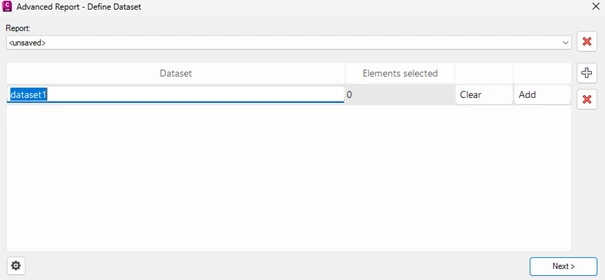
.The “Advanced Report – Define Dataset” dialog opens.
With the
 button add a new dataset. To define its name, click in the dataset field.
To add elements to the dataset, click
 .
.Select elements in the drawing and press Enter. The number of selected elements appears in Elements selected field.
You can clear the selection with the button
 .
.You can add additional dataset with the
button. You can create as many datasets you want.You can delete the dataset with the button
 .
.When done, continue with the
 button.