
# Group data
Command Description
You can organize your data by grouping information by any column, such as Type. This feature helps you automatically categorize and streamline data for better clarity and focus.
How to group data
- In the Advanced Report – Define Sheets dialog, all the columns are listed. Drag and drop a column header to group the data by that column.
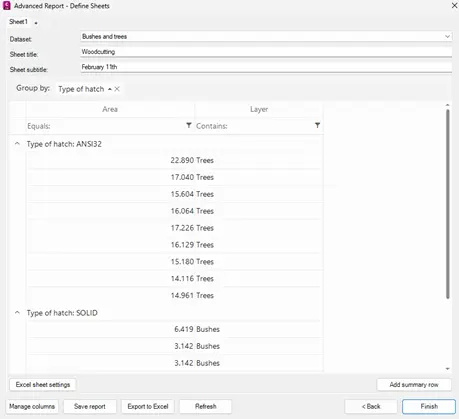
- You can easily reset grouping by clicking the “X” next to the column name in Group By. You can then group the data again as described in the previous step.