
# Manage columns
Command Description
In Manage Columns dialog users can control the report layout. It enables selecting attributes to display and renaming column headers.
To manage columns
Click Kobi Reporting command on Kobi Reporting ribbon
 .
.The “Advanced Report – Define Dataset” dialog opens.
Click
 button.
"Manage Columns” dialog opens. In this dialog, all attributes of all elements are displayed. You can rename attributes as needed in the “Header Text” column and select which attributes to include in the report in “Visible” column.
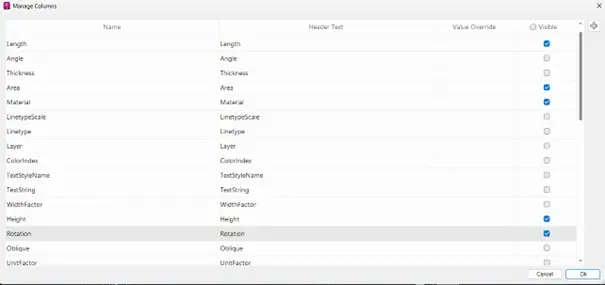
- Click “Ok” button to proceed.