
# General Settings
Command description
The General Settings dialog defines the general configuration of the application. It provides options to select metric or imperial units, specify the solid template library directory, enable BIM attribute attachment, and disable automatic object updates.
To define solid template library directory
Click Kobi Civil Modeler tab > Manage panel > General settings
 .
.In General settings dialog, click the button
 next to the Solid template library directory field.
Define the folder and click OK.
To attach BIM attributes
Click Kobi Civil Modeler tab > Manage panel > General settings
.In General settings dialog, check Attach BIM attributes option.
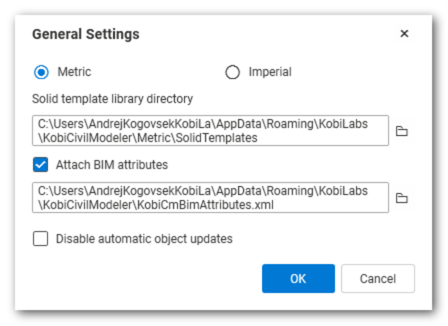
To disable automatic object updates
Click Kobi Civil Modeler tab > Manage panel > General settings
.In General settings dialog, check Disable automatic object updates option.