
# Create Solid from Edges
Command description
The Create Solid from Edges command creates a continuous solid from longitudinal edge geometry already present in the drawing.
To create solid from edges
Click Kobi Civil Modeler tab > Solid Objects panel > Create Solid from Edges
 .
.Select the edge objects in the order requested on the command line.
Confirm the closed profile, define max. segment length..
Define draw mode: solid, mesh or none.
Mesh/Solid is created in the drawing.
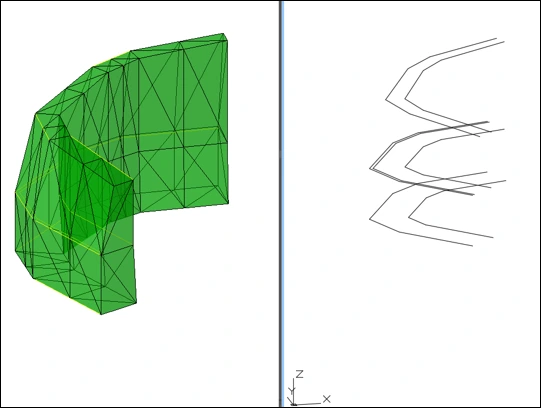
Use clean, continuous edge geometry. Gaps, reversed segments, or crossing edges can prevent the command from producing a valid closed body.