
# Update Category

The tool enables to change category for selected families (RFA files) in the chosen folder.
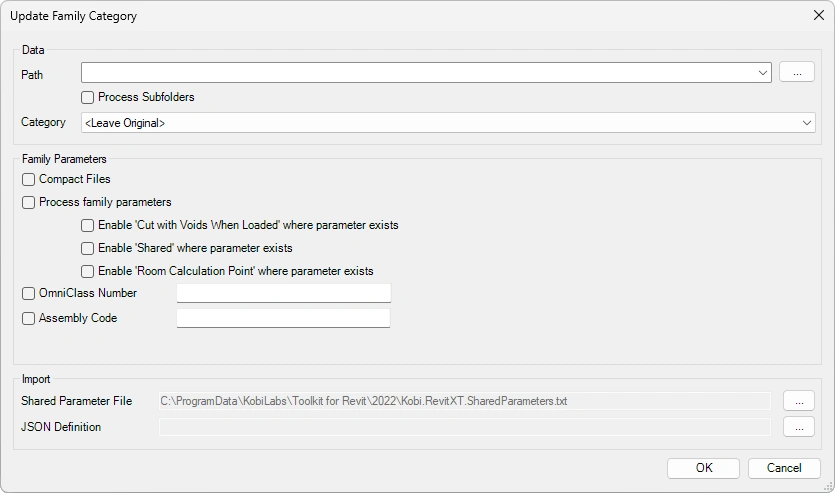
Data
- Select Path: Click on
 to define a path to Families for update. Optional checkbox to process files in the subfolders.
 - Category: A dropdown menu, where you can choose the category or < Leave Original > for update.
- Select Path: Click on
Family Parameters
- Compact files: The selected files will be compacted.
- Enable ‘Cut with Voids When Loaded’ where parameter exists
- Enable ‘Shared’ where parameter exists
- Enable ‘Room Calculation Point’ where parameter exists
- Omniclass number: Enables you to write down the Omniclass number for selected families.
- Assembly Code: Update Assembly Code for all types within a family.
Import
- Shared Parameter File: For selected families define the path to shared parameter file.
- JSON Definition: Define the path of the .json file.
Click on the Content Admin Kit tab > Go to the Families panel > Click on Update Category