
# Edit Grid Name

Displays selected grids in a list. Names can be edited manually or automatically by assigning grid names in ascending or descending order. Prior to assigning grid names, grids can be sorted by any of the available parameters.
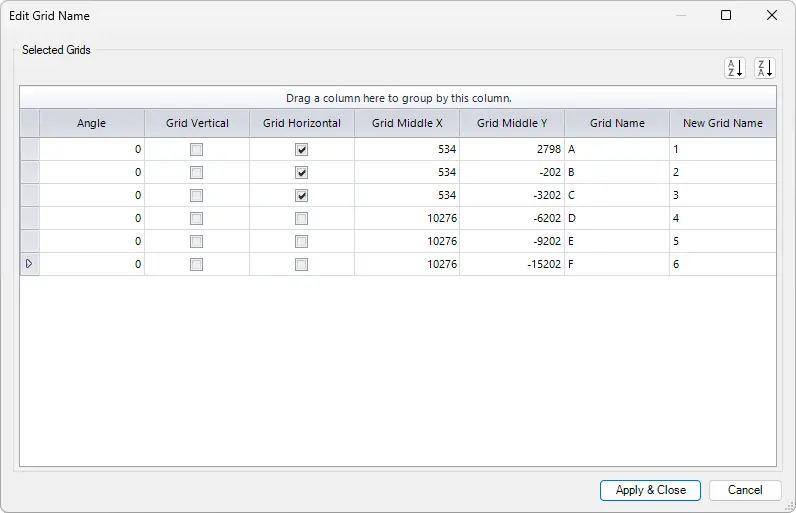
Angle - Shows if a grid is under an angle.
Grid Vertical - Shows if the grid is vertical.
Grid Horizontal - Shows if the grid is horizontal.
Grid Middle X - Show X coordinate in the middle of the grid line.
Grid Middle Y - Show the Y coordinate in the middle of the grid line.
Grid Name - Shows current grid name.
New Grid Name - Input a new grid name which will replace the current grid name.
Select
 or
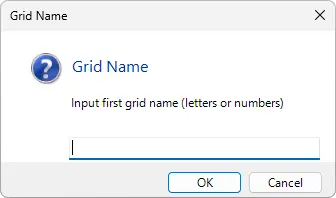
or  to automatically assign grid names in ascending or descending order. In the new dialog box input the first grid name (letters or numbers) and select OK.
Select one or multiple Grids in the view > Click on the Kobi Toolkit tab > Go to the Modify panel > Click on Edit Grid Name set-up options in the dialog window > Click Apply & Close