
# Export XYZ
Command Description
The "Export XYZ" command is used to export XYZ coordinates and names from selected blocks or points. Command allows you to extract block elevation and name form block attributes.
To export blocks or points XYZ coordinates to file
Click Kobi Toolkit for AutoCAD tab > Output > Export XYZ

In the command line there are two options:
Select blocks manually from the drawing or
Click "Points" to pick point in the drawing and enter name and elevation for picked point.
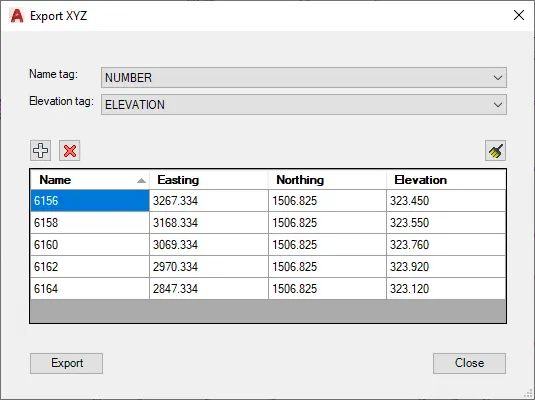
Name tag: select tag for block name.
Elevation tag: select tag for block elevation.
Click
 button to add new item to the list.
Click
 button to delete row from list.
Click
 button to clean whole list.
Click on the column heading to sort data in the list.
Change the data in the table
Click "Export" to save the data to file.