
# Sheet

Sheet editing tools.

- View/Sheet Manager

Shows a form to edit the Sheet and View name and other properties. Additionally, it is possible to duplicate the sheet and select the appropriate viewports for the new sheet.
Views

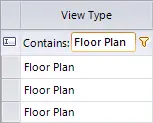
Click on the Kobi Toolkit tab > Go to the View panel > Sheet drop-down > Select View/Sheet Manager > Select the View tab > You can edit View Name or Title on Sheet
Filters

Sheets
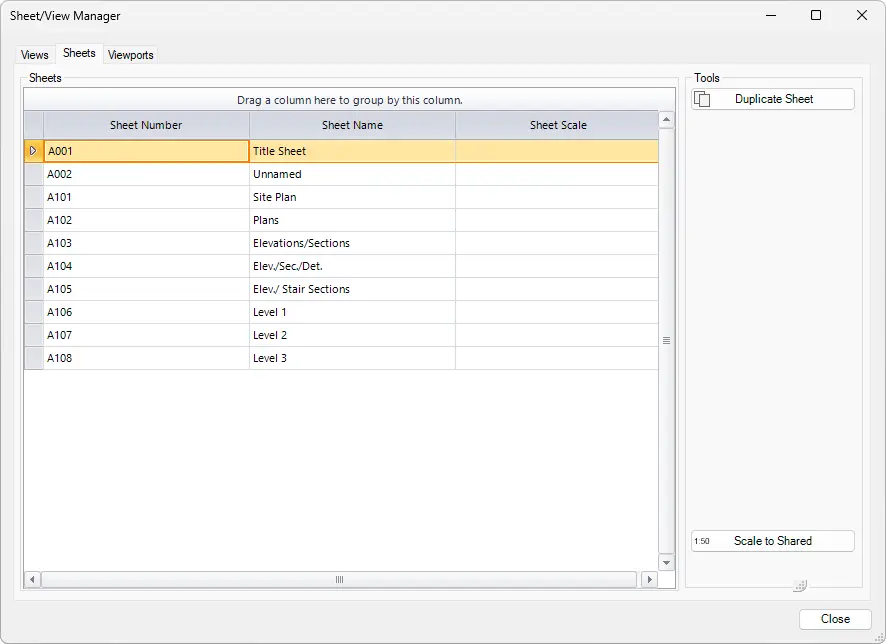
Tools
- Duplicate Sheet: Duplicates selected sheet. It opens the Sheet Vieworts dialog box, where user can select new views for the duplicated sheet.
- Scale to Shared: Adds shared parameters that indicate scales on sheets.
Click on Kobi Toolkit tab > go to View panel > Sheet drop-down > select View/Sheet Manager > select Sheets tab > you can edit Sheet Number, Sheet Name, and Sheet Scale
Viewports
The Viewports tab allows user to manually edit Align X/Y Column of the views on sheets.

Click on the Kobi Toolkit tab > Go to the View panel > Sheet drop-down > Select View/Sheet Manager > Select the Viewports tab - you can edit Align X/Y Column
Align Viewport on Sheet

Displays a dialog to position a selected view on a sheet by choosing a side and an offset.

Click on the Kobi Toolkit tab > Go to View panel > Sheet drop-down > Select Align Viewport on Sheet > Enter offset value > Click on Left/Top/Right/Bottom to align the viewport to the left/top/right/bottom side with selected offset
- Duplicate Sheet

Duplicates active sheet and views on it, views are placed on the same position as on the source sheet. The tool duplicates selected viewports or all if none are selected.

Select sheet > Click on Kobi Toolkit tab > Go to View panel > Sheet drop-down > Select Duplicate Sheet - select duplication Options > click OK
- Orient View to Face

Orient View to Face allows users to define by which face a 3d View will be opened.


Sheetset Manager

Create sheet sets based on selected revisions and specified names.

Tool Sheetset Manager offers you the possibility to create several Sheetsets by Revisions.
Click on the Kobi Toolkit tab > Go to the View panel > Sheet drop-down > Select Sheetset Manager > Define Sheet Set Name and Revision > Select one or several Sheets > Click OK
Pin Sheets

Pin/Unpin all views on selected sheets.

Click on the Kobi Toolkit tab > Go to the View panel > Sheet drop-down > Select Pin Sheets >Select Pin or Unpin All > Click OK
Align Legends

Aligns legend views consistently across sheets by applying the position of a selected legend to all other sheets where the same legend appears.
Select a legend on the sheet > Click on the Kobi Toolkit tab > Go to the View panel > Sheet drop-down > Select Align Legends