
# Text

Converts the selected TextNote element to upper or lower case. You can manage exceptions in the Settings dialog.

Converts the selected text to upper case. You can define exceptions in the settings dialog. NOTE: bullets and numbering are removed in the process.
Select TextNote element > Click on the Kobi Toolkit tab > Go to the Annotate panel > Text drop-down > Select To Upper Case
To Lower Case

Converts the selected text to lowercase. You can define exceptions in the settings dialog. NOTE: bullets and numbering are removed in the process.
Select TextNote element > Click on the Kobi Toolkit tab > Go to the Annotate panel > Text drop-down > Select To Lower Case
Text Mask

Adds a background mask behind text in the active plan view. The mask can be applied to selected text elements.
Note: If the text is moved, the mask remains in its original location. To update the mask position, run the Text Mask tool again.
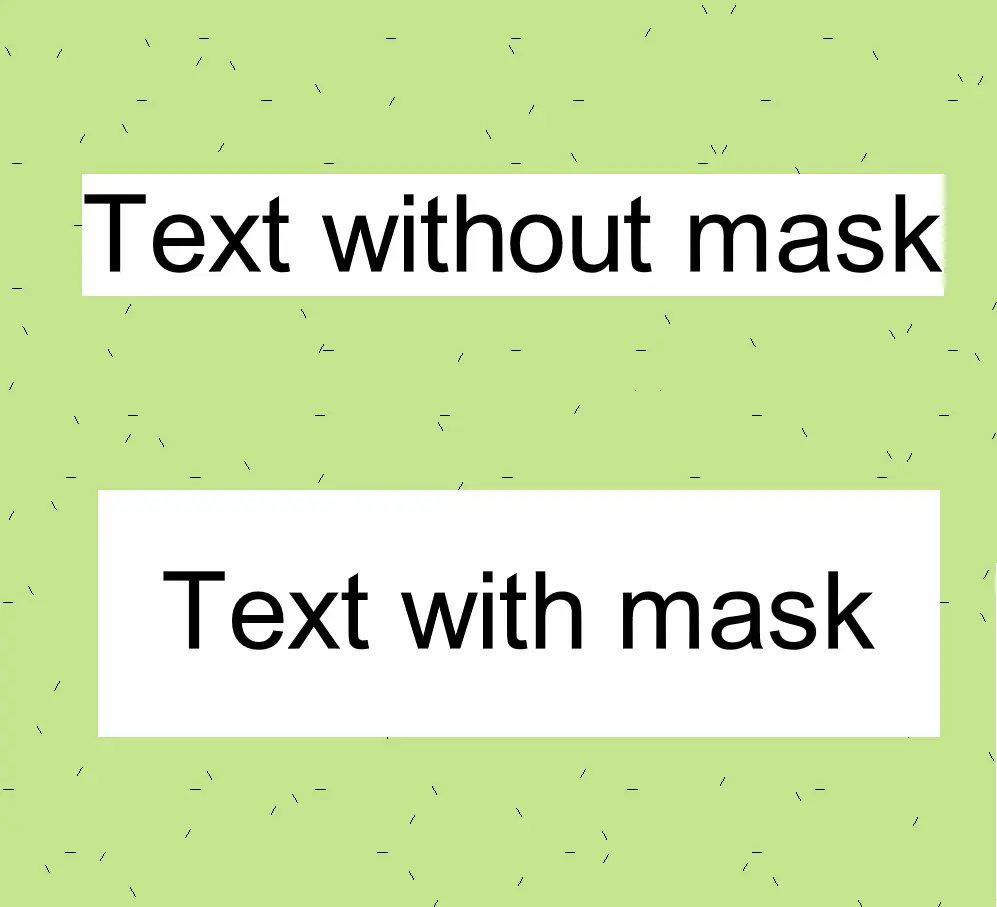
Select the TextNote element > Click on the Kobi Toolkit tab > Go to Annotate panel > Text drop-down > Select Text Mask