# Vehicle Profile
Command Description
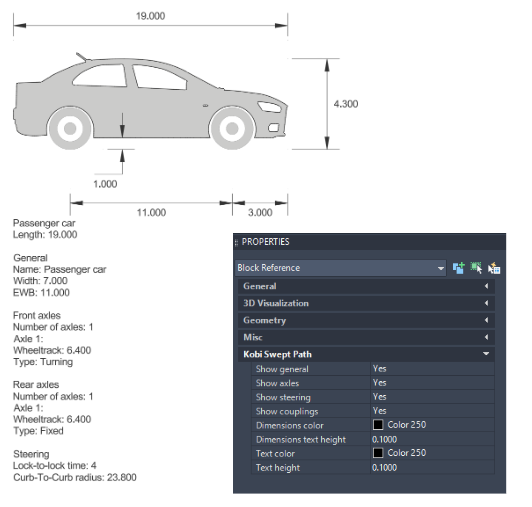
The command draws the vehicle profile in the drawing for the selected swept path analysis, along with the associated parameters of the used vehicle.
To insert Vehicle Profile
Click Kobi Swept Path > Report > Vehicle Profile
 .
.Select a swept path entity in the drawing.
Pick graph position.
By selecting the vehicle profile in the drawing, the user can control the visibility of the following parameter groups — General, Axles, Steering, and Couplings — via the Properties panel. Users can also customize the color and text height of dimensions as well as the displayed parameters.