# Add New Library
To Add a new library
Click Kobi Swept Path > Create and Manage Analysis Panel > Vehicle Library
 .
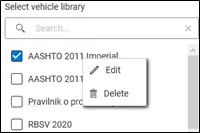
.In Vehicle Library dialog, you can easily add a new vehicle library with
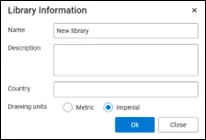
 button. In Library Information dialog define its name, description and country. Define drawing units: select Metric or Imperial option.
Note: you can edit Vehicle library information anytime with right mouse button and selecting Edit command.