
To create a new General Settings Template
Click Kobi Swept Path > Create and Manage Analysis Panel > Settings
 .
.Next to the Template drop-down menu, click on
 button to duplicate the existing Template.
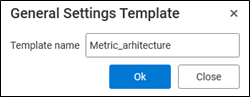
In General Settings Template dialog, define new template name. Press OK to confirm.
To define new template settings, click on
 button and define the parameters in General settings – NewTemplateName dialog.
Confirm the settings with OK.