
# Add New Vehicle
To Add a new vehicle
Click Kobi Swept Path > Create and Manage Analysis Panel > Vehicle Library
 .
.To add a new vehicle, right-click on existing vehicle in Vehicle Library dialog to open a context menu. It provides access to the following commands:
- Edit: Edit the vehicle parameters such as vehicle length, width, axle parameters, steering, etc.
- Duplicate: Duplicate existing vehicle to create a new one. You can then edit its parameters with the Edit command.
- Drive: Run the Drive command to create a new vehicle swept path analysis for the selected vehicle directly from the Vehicle library.
- Delete: removes the vehicle from the Vehicle library.

- Select Duplicate command, to create a copy of existing vehicle. Define its new name and appropriate library in Vehicle Information dialog.
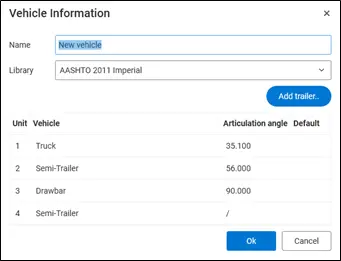
- A vehicle may consist of a motor vehicle and a trailer (or more trailers). First unit is always a motor vehicle. If you click on Edit button on the right side, you can edit its parameters.

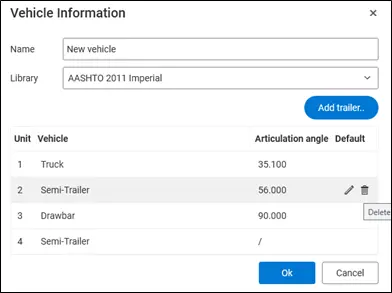
You can edit each of the vehicle unit with the Edit button.
- With
 button you can easily add a trailer to the vehicle. In Trailer Types dialog select the trailer type. You can choose between Basic Trailer, Semi-Trailer or Drawbar.

- You can remove the trailer with Delete button.
Note: predefined country-specific Vehicle libraries are locked, so the vehicle parameters cannot be edited.