
# Polyline to LandXML
Command Description
The "Polyline to LandXML" command is used to export selected polyline, Polyline 3D and feature line objects to LandXML format. By using this command, you can simply edit an existing LandXML through the dialog box.
To export objects to LandXML
Click Kobi Toolkit for Civil 3D tab > Alignments panel > Polyline to LandXML

Specify the LandXML file you want to edit or simply type the name for new file and click save.
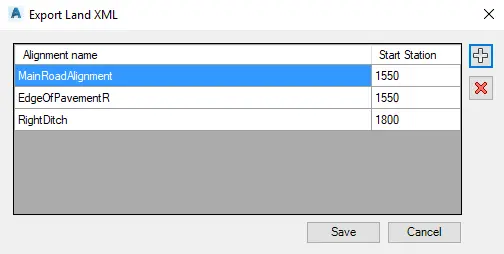
In the opened dialog box click
 button to select objects to add.
Click
 to remove objects from list.
Note that after selecting each object you have to specify its name and start station value. However, you can change the name and station value at the dialog box anytime.