
# Profile Tangency Check
Command Description
This command analyses the selected Finished Ground Profile, on which it automatically detects and optionally labels tangents without curves, treating them as Tangency errors.
To create profile tangency check
Click Kobi Toolkit for Civil 3D tab > Profiles panel > Profile Tangency Check

Select the desired Finished Ground Profile.
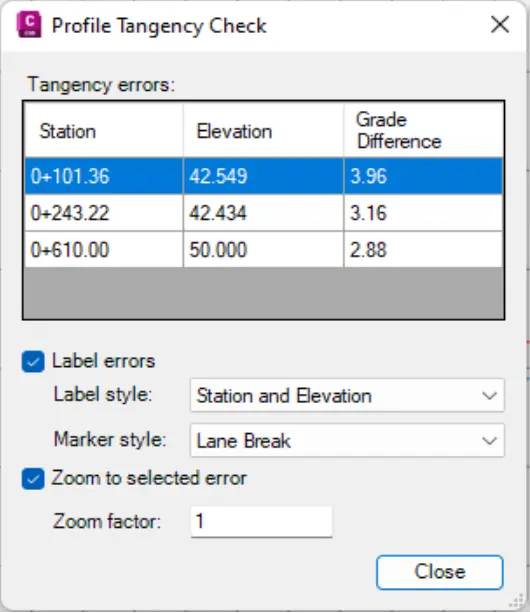
The dialog box shows the stations, elevations and grade differences of detected tangency errors.
Check the “Label errors” option to label detected tangency errors in the Profile View. Select the label and the marker style from the drop down.
Check the “Zoom to selected error” option and specify the zoom factor to zoom the selected error in the Profile View.