
# Create Structures from Points
Command Description
The "Create Structures from Points" command creates pipe network structures from selected COGO points. Command can be used to automate a pipe network creation process from point representing existing pipe network structures.
To create structures from points
Click Kobi Toolkit for Civil 3D tab > Pipes panel > Create Structures from Points


From "Network name" drop down list select a pipe network on which structures will be created. Click
 button if you would like to create
new pipe network and specify network name and parts list.
button if you would like to create
new pipe network and specify network name and parts list.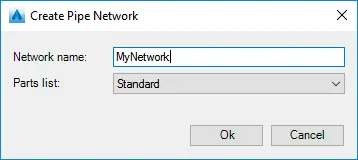
From "Parts list" drop down select a parts list that contain desired structure family and size.
When "Automated mapping" is turned off, all selected points are listed in the grid view and you can specify structure part family and size for every point.
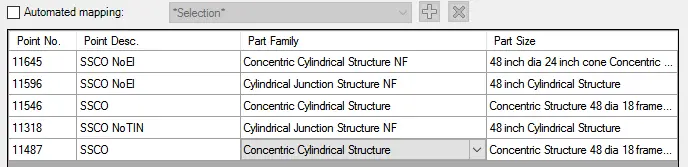
When "Automated mapping" is turned on, selected points are grouped by point description and you can specify structure part family and size for every point description. Structure with the same part family and size will be created from all points with the same point description.

If "Set structure name from selected data" is turned on, structure name can be read from UDPC (User-Defined Property Classification) value or point property:
a. Point number
b. Raw description
c. Full description
If "Set rim elevation from COGO point within buffer radius" is turned on, structure rim elevation is set from COGO points within defined buffer radius.
To save or remove point-structure mapping
Automated mapping is intended to automate pipe network structure creation process. Mapping definition is saved to the external file and it can be used on similar projects.
Turn on "Automated mapping"

Click
button to save mapping definition.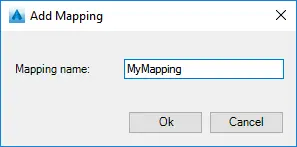
Click
 to remove selected mapping.