
# Section Navigator
Command Description
Section navigator is used to navigate through corridor section views by section navigator panel. Various controls allow different ways of browsing through section views. You can also define zoom area to lock navigation to specific area of interest.
To open Section Navigator and start navigating
Click Kobi Toolkit for Civil 3D tab > Zoom to panel > Section Navigator


Select Alignment / Sample Line Group / Section View Group from the top drop down.
Use following buttons for navigation:
 Zoom to first section view
 Zoom to last section view
 Zoom to next section view
 Zoom to selected sample line in
layout view
Zoom to selected sample line in
layout view Zoom to previous section view
 Define custom zoom area
 Reset zoom area to entire
section view
Reset zoom area to entire
section view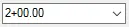 Zoom to selected station in drop
down or enter desired station
Zoom to selected station in drop
down or enter desired station